A desktop from server parts
Construct Linux began as Spinbox's host image and became my laptop's desktop. Why I built a distribution, how little it took, and why "little" is wrong.

Construct Linux started on AWS, while I was writing the first deploy of Spinbox and had to pick an image for the hosts.
Every image I looked at came with things these hosts don’t use: an SSH server, cloud-init, a package manager, several hundred packages, each one something to patch. So I started from an empty image: a host image built from Wolfi packages, with a root that can’t be changed and a boot the machine can prove. I decided what the hosts needed and built only that.
Just a prompt
Around then my laptop started to give out. After years on a Mac, I bought a ThinkPad and went looking for a Linux distribution to put on it.
My first Linux was Slackware. I still have the book I learned from.
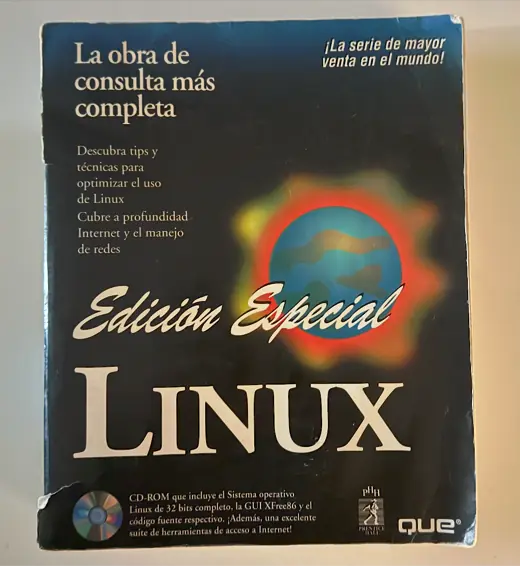
Over the years I’d mostly used Ubuntu, with FreeBSD when I wanted something stricter. Coming back to Linux on my laptop, I had a fairly good idea of what I liked. This time Ubuntu felt heavy. Fedora is the obvious answer, and its atomic editions look a lot like what CoreOS used to be, but Red Hat’s world never clicked for me, RPM least of all.
Then there’s Omarchy, DHH’s take on Arch: write it to a USB stick, answer a few questions, and minutes later you have a finished desktop, chosen and tuned for you. Windows tile by default, the keyboard drives it, agents come wired in. They’re doing something right: a desktop with opinions, where the pieces come assembled. I just couldn’t get used to it. I need a window manager where I put the windows, the way GNOME and, I’ll admit, macOS do it, and I want GNOME, its details as much as its windows. Maybe I’m the one who should adapt. That’s an iteration for later.
And then a thought I should probably be embarrassed about, and am, a little: I had just built a host image. I knew exactly what I wanted from a desktop. So a distribution was, more or less, just a prompt.
It isn’t, ni ahí (not even close). A distribution is years of invisible work by a lot of people, and what I did stands on Wolfi, GNOME and systemd, over many rounds, not one. But the first step really was little.
The first days
Wolfi turned out not to be that far from a GNOME desktop. Someone had already tried, in projectbluefin/wolfi-gnome, an attempt, archived now, that gave me the idea. The laptop hadn’t arrived, so I assembled a disk and booted it in QEMU. GNOME ran on Wolfi within two or three days. Within a week there was a signed release with a root checked block by block as it’s read, Secure Boot with the project’s own keys, and a disk the laptop’s security chip unlocks with your password, or a YubiKey does.
Updates are the part I like most. The disk holds two partitions for the system and one for everything that’s yours. The system you’re running is never touched: once a day, systemd-sysupdate writes the new version into the other partition, and it starts on your next restart. No update restarts the machine for you, and if the new version can’t bring the desktop up three times in a row, the machine goes back to the one before. That code came from the host image, where it was a day old.
Apps you install don’t go into the system at all. They come from Flathub, Chrome included. The system stays one image, the same on every machine, and what you install lives beside it.
Command-line tools have a place of their own: a container of Wolfi, the same packages the system is
built from, made with distrobox. It isn’t a sealed box: it shares your
user, your home folder and your screen, so what you install in it with apk add, a language, the
cloud CLIs, tcpdump, works as if it were on the machine, and never touches the image. The first
time you step into it, it’s created, cloud CLIs included.
When something that belongs in the system isn’t there, it goes into the image, and the next
update brings it. One day I reached for iwconfig to see what the Wi-Fi link was doing, and Wolfi
had nothing for that, neither iwconfig nor iw, the tool that replaced it. Now iw is in the
image, built by the project.
Then the laptop arrived
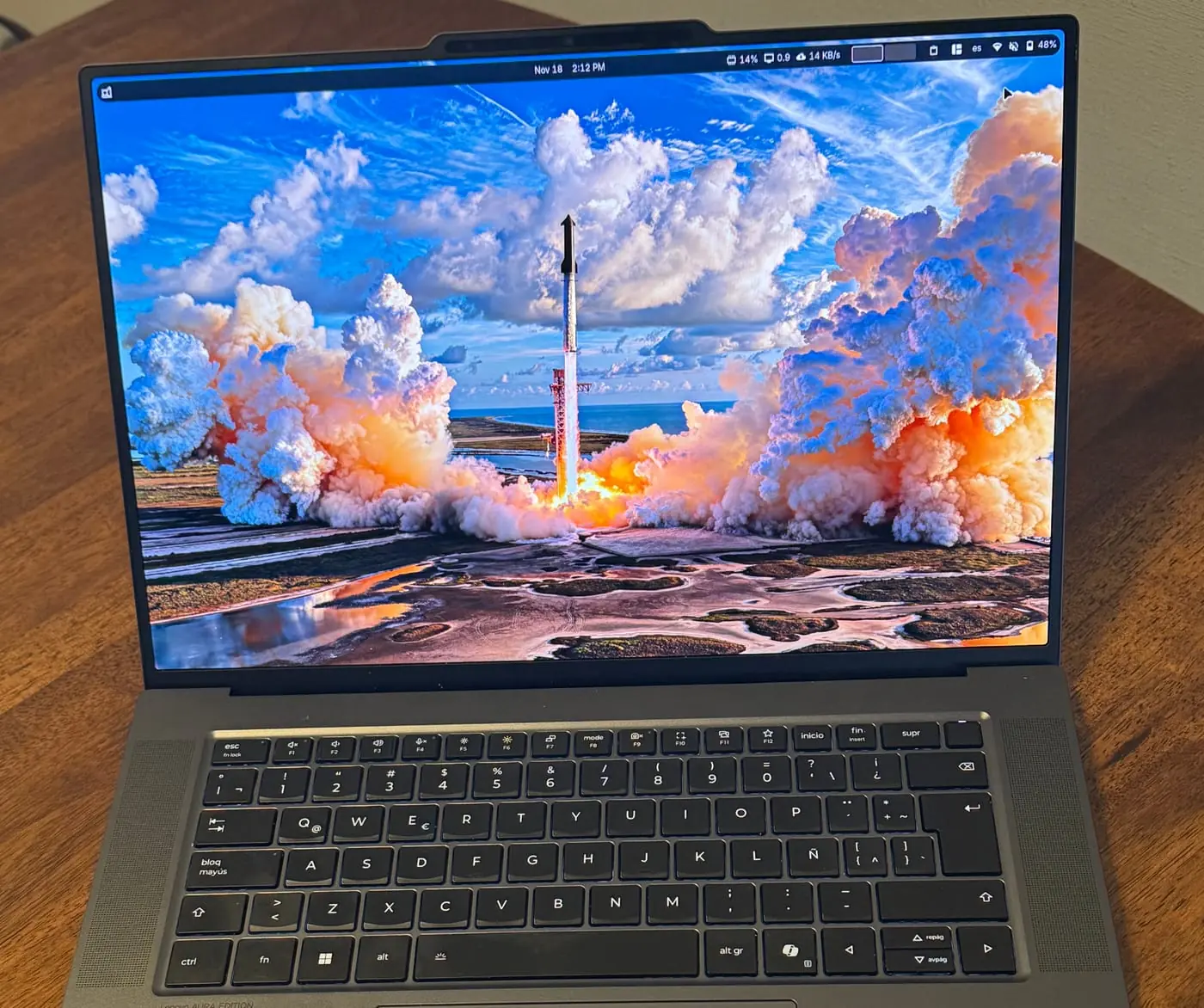
Construct on my X9-15p, in November.
Picking the laptop took longer than getting GNOME onto it. I wanted a light 15-inch machine with no number pad and the touchpad in the middle: after so many years on a MacBook, one pushed off to the left feels wrong. And a keyboard as close to the MacBook Pro’s as I could get, knowing none would match it. For months I’d been eyeing the Framework Laptop 13 Pro, but 13 inches felt too small, so I was really waiting for a bigger one that wasn’t out. And the wait for a Framework was months, time I didn’t have with my old laptop giving out. I’d never been a fan of Lenovo, between the red nub in the middle of the keyboard and the corporate look. This one has turned out great.
Linux on a new laptop, what could go wrong? Very little, it turned out, the nicest surprise of the project. The interesting part was firmware. On my ThinkPad, the sensors and the speakers need files that exist only inside Lenovo’s Windows driver packages, and their licence doesn’t let a distribution ship them. So Construct doesn’t: it downloads the packages for the devices the machine has from Lenovo’s own catalog, takes out only the firmware, and runs nothing from them.
/var/home/aledbf # construct firmware
reading Lenovo's catalog for machine type 21VV
downloading Intel Integrated Sensor Solution - 11 (25H2 or Later) 5.8.57.0 (2 MB)
downloading Intel SoundWire Audio Driver - 11 (25H2 or Later) 20.43.12573.6 (368 MB)
installed cirrus/cs35l57-b2-dsp1-misc-17aa2355-spkid0-l1u0.bin  <-  n4qa226w/code$GetExtractPath$/CS/XU_Ext/lenovo/tn/35L57/2355/dflt/b2_dflt_SS0_2355_LW_l1u0.bin
…
installed intel/ish/ish_ptl_53c4ffad_6a9af742_d4894bf7_126d57fb.bin  <-  n4qhi16w_v2/code$GetExtractPath$/Lenovo/FwImage/0004/ishS_SI_5.8.1.7779.bin
restart for the drivers to load it.
If the kernel then logs "ISH loader: cmd 2 failed 10", the hub refused its image: it is signed for another machine, or it is Intel's generic one (IntelDriver/IshHeci) and not the maker's (Lenovo/FwImage).The result uses little power, and I install it and use it. Suspend and resume, the classic way Linux on a laptop lets you down, work: the laptop has always woken up. Unlocking it after many suspends was another matter, for a while.
A key and a finger
The two things I use every day without thinking are the ones I expected to care least about. A
YubiKey works out of the box: the installer enrols it next to your password, and from then on the
key, with its PIN and a touch, opens the disk at boot, and a touch alone answers sudo, the lock screen and every
“an app wants to change something” prompt. Pull it out and everything falls back to the password.
A finger enrolled in GNOME’s Settings unlocks the screen and logs you in, beside the password, never
instead of it. On a laptop you lock fifty times a day, it’s the feature I’d miss first.
Neither needs a PAM file, a udev rule or a wiki page open in another tab, and they stay that way
because every release is tested for them: the release builder boots the image in a QEMU built with
a virtual security key plugged in, enrols it, boots with it, and checks sudo with and without it. If an update from Wolfi
breaks that, there’s no release. I open an issue instead, by hand for now
(that’s next), and an agent and I go find the
regression.
The look, and who it’s for
The look follows the same rule: don’t draw a theme from scratch, take good ones and make them agree. The theme, the icons and the cursor are small forks of Orchis, Tela and Bibata, and so are several of the GNOME extensions, Dash to Panel and Tiling Shell among them, all in the project’s colours. The tests compare the screens with approved screenshots, needles, so I see a change before I install it.
Construct isn’t for everyone. It’s for people who want a desktop as locked down and verifiable as a good server, from a small set of current packages, and who’d rather have GNOME, with tiling when they want it, than assemble a desktop piece by piece.
Today it’s tested on one laptop, mine, and every release installs in QEMU before it goes out; the releases are public. Real hardware found a few things the virtual machine hadn’t, and the next Construct post is about them: one was a certificate that made the machines already installed refuse the next release. Another laptop will find things mine didn’t.
Found something wrong, or out of date? Tell me, with this post already named, and I'll fix it here. New posts come by RSS.